Save locally
Manual sessions, Auto Save sessions, tab groups, preview data, and settings are stored in Chrome extension storage on your device.
Chrome extension
Save all your Chrome tabs with one click, keep them local by default, and restore the exact session whenever you need it.
Screenshots
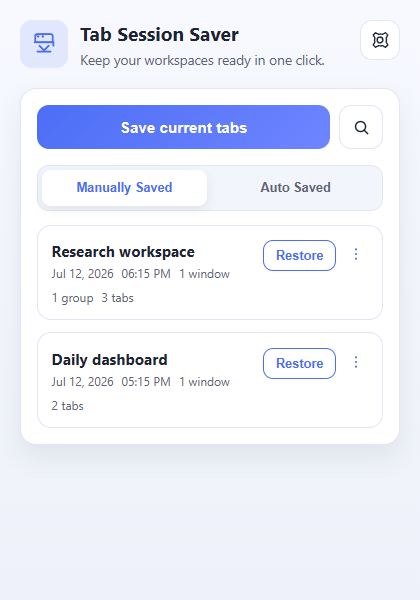
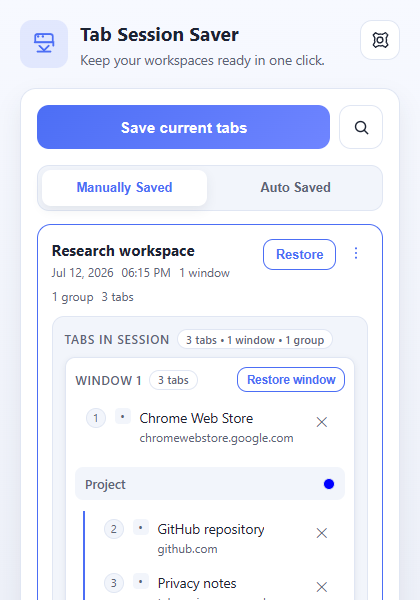
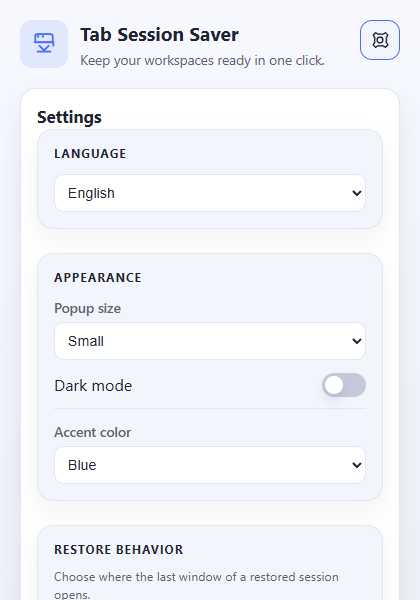
About
Simple: save every open tab, window, and tab group in one click.
Fast: restore full sessions or inspect them before reopening.
Portable: export/import JSON backups, with optional Cloud Sync when you want it.
How it works
Manual sessions, Auto Save sessions, tab groups, preview data, and settings are stored in Chrome extension storage on your device.
Export a JSON file for a full portable backup, or import a backup into another Chrome profile when you need to move data manually.
Cloud Sync uses Google Sign-In and the Tabs Session Saver Cloudflare backend. Local changes are pushed automatically after a conservative delay.
Features
Capture tabs, windows, pinned state, and groups.
Open sessions in new windows or merge the last saved window into the current one.
Inspect tabs and restore individual windows.
Find by title, URL, domain, or name.
Save on a schedule or when Chrome closes, with grouping options.
Keep portable JSON backups.
Rename, delete, reorder, remove tabs, and add custom URLs.
Preserve Chrome tab group names, colors, and membership.
Sign in with Google when you want multi-device sync.
Local-first storage. No account required for the core workflow. Open source on GitHub.
Install the extension and stop losing useful tab sessions.